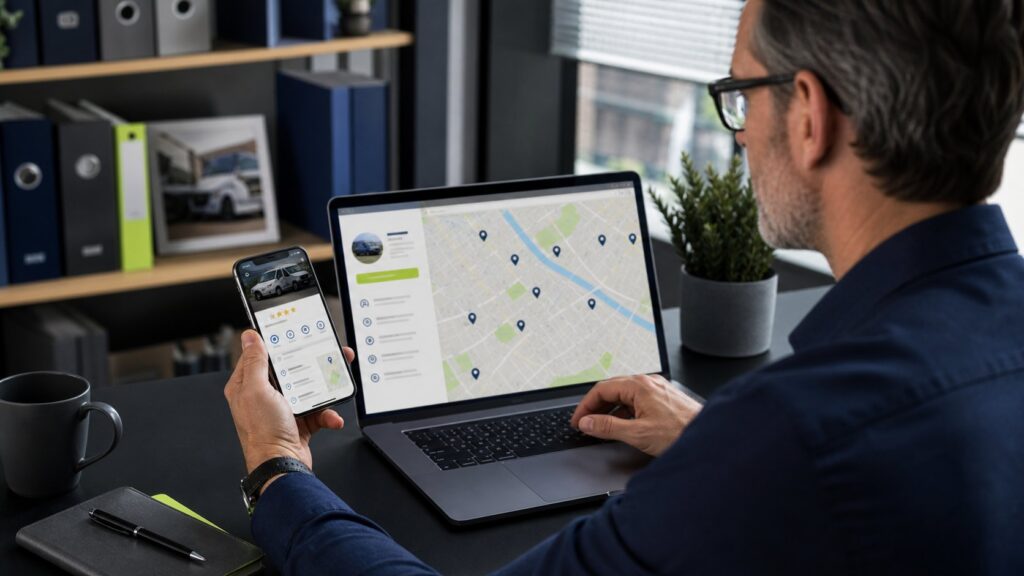
A fully optimized Google Business Profile for an NEMT company has accurate business details, a compliant address or service-area setup, the closest available categories, complete services, current hours, strong photos, a direct booking path, and a consistent review-response process. Those basics help Google understand the business and help riders, caregivers, and facility staff decide whether to call.
How Google determines local visibility
Google says local results are mainly based on relevance, distance, and prominence. Relevance is how well a profile matches the search. Distance reflects how close the business is to the search context. Prominence reflects how well known the business appears based on information Google can find, including links and reviews.
There is no legitimate way to pay Google for a better organic local ranking. The practical job is to make the profile accurate, complete, and supported by a credible website and real customer feedback.
1. Confirm the business identity
Use the real-world business name. Do not add city names, service keywords, or marketing slogans unless they are genuinely part of the name used on signage, legal documents, and customer-facing materials.
Check the core identity fields:
- Name: consistent with the website and business records
- Phone: a monitored local or primary dispatch line
- Website: the canonical business domain, not a tracking redirect
- Hours: accurate office or service availability, with special hours updated
- Address: shown only when customers are legitimately served at that location
Inconsistency creates both customer confusion and entity ambiguity. Align the same information across major directories and your website footer, contact page, and structured data.
2. Configure the service area honestly
NEMT companies often travel across multiple communities, but a profile is not a license to claim every city in a state. Configure service areas around the places your fleet reliably serves and keep that list aligned with website content.
Use a three-layer map:
- Core area: the cities and ZIP codes served consistently with the best response times.
- Extended area: trips accepted with additional lead time or route conditions.
- Destination corridors: hospitals, dialysis centers, and care facilities commonly reached from the core area.
Build substantive service and city pages for priority markets. Do not create dozens of nearly identical pages with only the city name changed.
3. Choose categories and services carefully
Select the closest available primary category to the core business. Category options change, so review what Google currently offers instead of copying an old checklist. Add secondary categories only when they describe services the company actually provides.
Then complete the services section in plain language. Relevant service entries may include wheelchair transportation, ambulatory medical transportation, recurring dialysis transportation, hospital discharge transportation, or other verified offerings. Avoid unsupported clinical terms and emergency-service language.
4. Build a conversion-ready profile
A ranking without a clear next step is wasted visibility. Review the profile as a rider or caregiver would:
- Can someone immediately understand what the company does?
- Is the phone answered during the stated hours?
- Does the website landing page match the service searched?
- Are mobility capabilities described accurately?
- Is there a privacy-safe way to request information?
- Does the profile avoid promises about insurance or Medicaid coverage?
Send profile traffic to a fast page with click-to-call, a clear service area, trust signals, and a direct request path. Connect it to the wider NEMT Growth System rather than treating the profile as a standalone listing.
5. Publish useful, accurate photos
Photos help people evaluate legitimacy and accessibility. Use original, current images whenever possible:
- Exterior and approved office or pickup location
- Clean vehicles from multiple angles
- Wheelchair lift or ramp in a safe demonstration
- Professional staff with appropriate permission
- Dispatch or scheduling environment without visible private information
Do not upload stock vehicles that do not match the fleet, fabricated certifications, visible patient information, or images copied from another company.
6. Create a compliant review engine
Google encourages businesses to remind customers to leave reviews and provides review links and QR codes. Google also prohibits incentives in exchange for reviews and other forms of fake engagement.
Build a neutral request process after completed service. Ask for honest feedback, send the direct review link, and give every eligible customer the same opportunity rather than filtering for only happy riders. Use the full NEMT review-generation playbook for timing, privacy, and response guidance.
7. Respond to reviews without exposing private information
Review replies are public. Never confirm a person’s medical condition, appointment, trip details, destination, or relationship to the company. Even when the reviewer has shared those details, your reply should remain general.
A safe response pattern is:
- Thank the reviewer for the feedback.
- Reinforce a general service value without confirming private details.
- Invite offline contact when an issue needs investigation.
- Sign with a first name or team role when appropriate.
8. Connect the profile to the website and schema
Your website should confirm the same business identity, service area, services, and contact information. Add accurate Organization or service-business structured data, breadcrumbs, service pages, and location relevance. Avoid duplicate or conflicting schema from old themes and plugins.
Link internally between the home page, services, city pages, high-intent articles, and contact page. The profile and site should tell one consistent story.
9. Measure profile performance
Track business outcomes, not just profile views:
- Calls and website visits from the profile
- Qualified ride inquiries by service and city
- Answered-call and response rates
- Booked rides and route fit
- Review volume, recency, and response coverage
- Search visibility for priority service-area terms
Use consistent campaign tagging and call reporting where appropriate, but keep tracking systems from breaking the canonical website URL or customer experience.
Monthly NEMT Google Business Profile checklist
- Verify name, phone, website, hours, and service areas.
- Review categories and services for accuracy.
- Add current, truthful photos.
- Respond to new reviews using privacy-safe language.
- Review calls, clicks, inquiries, and missed-call recovery.
- Check for duplicate profiles, unauthorized edits, or policy warnings.
- Align profile changes with website content and schema.
Related: Rank wheelchair transportation on Google · NEMT visibility in AI search · NEMT marketing services · Book a free territory audit
Frequently asked questions
What Google Business Profile category should an NEMT company use?
Use the closest currently available category that accurately describes the core business, then add only legitimate secondary categories. Category options change, so verify them inside the live profile rather than relying on an old list.
Should an NEMT company hide its address?
If customers are not served at the business location, configure the profile according to Google’s service-area business rules instead of presenting an address as a public storefront. Follow the current Google guidelines for the actual operating model.
Can I pay Google to improve my local ranking?
No. Google states that businesses cannot request or pay for better organic local ranking. Local visibility is mainly influenced by relevance, distance, and prominence.
How often should I update my NEMT Business Profile?
Review critical information monthly and update hours, closures, contact details, service areas, or operational changes as soon as they occur.